

Description
Download Driver Magician – Fast Driver Backup, Restore & Update Tool
Overview
Driver Magician is a dedicated Windows utility designed to simplify the often‑tedious process of managing device drivers. Whether you are preparing for a major OS upgrade, performing a clean reinstall, or simply want to keep your hardware running at peak efficiency, Driver Magician provides a single, secure location to back up, restore, and update all of your drivers. The software scans the entire system, identifies each piece of hardware, and extracts the associated driver files from the hard disk. Those files can then be saved to a folder of your choice, an external drive, or even a cloud location. When you later reinstall Windows, a single click restores every driver, eliminating the need for multiple disc searches or hunting down manufacturers’ websites. In addition, the built‑in live driver database connects to the internet to fetch the latest releases, ensuring that you always have the most stable and performance‑optimized versions. This combination of backup reliability and automatic update capability makes Driver Magician an essential tool for both home users and IT professionals who value time, stability, and system performance.
Key Features and Capabilities
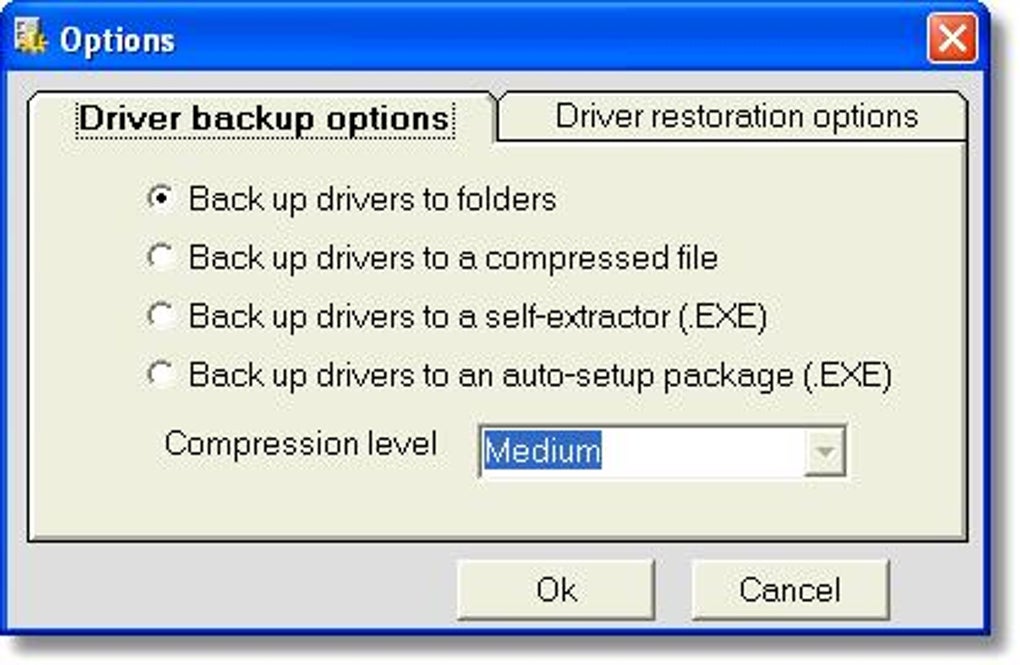
- Four backup modes: Full system, selected devices, custom folders, or scheduled automatic backups.
- One‑click restoration: Restore all saved drivers with a single mouse click after OS reinstall.
- Live driver database: Automatic internet updates keep the driver identifier and driver update databases current.
- Unknown device detection: Identifies hardware without existing drivers and suggests compatible replacements.
- Additional data backup: Option to include user folders (e.g., My Documents) and critical registry entries.
- Detailed hardware information: Provides manufacturer, version, date, and digital signatures for each driver.
- Auto‑setup package creator: Generates a standalone .EXE that can deploy all drivers on a fresh system without needing Driver Magician installed.
- Performance boost: Updated drivers improve system stability, reduce crashes, and can unlock hidden hardware capabilities.
- Secure handling: All backup files are stored locally unless you choose a cloud destination, ensuring privacy.
Installation, Usage & Step‑by‑Step Guide
Downloading & Installing
To begin, visit the official Driver Magician website and click the Download Free Trial button. The installer is a lightweight .exe file (approximately 12 MB) that works on any Windows 7, 8, 8.1, 10 or 11 system. Run the file, accept the license agreement, and choose the default installation folder unless you have a specific location in mind. The setup wizard completes in under two minutes, after which the program automatically launches.
Creating Your First Backup
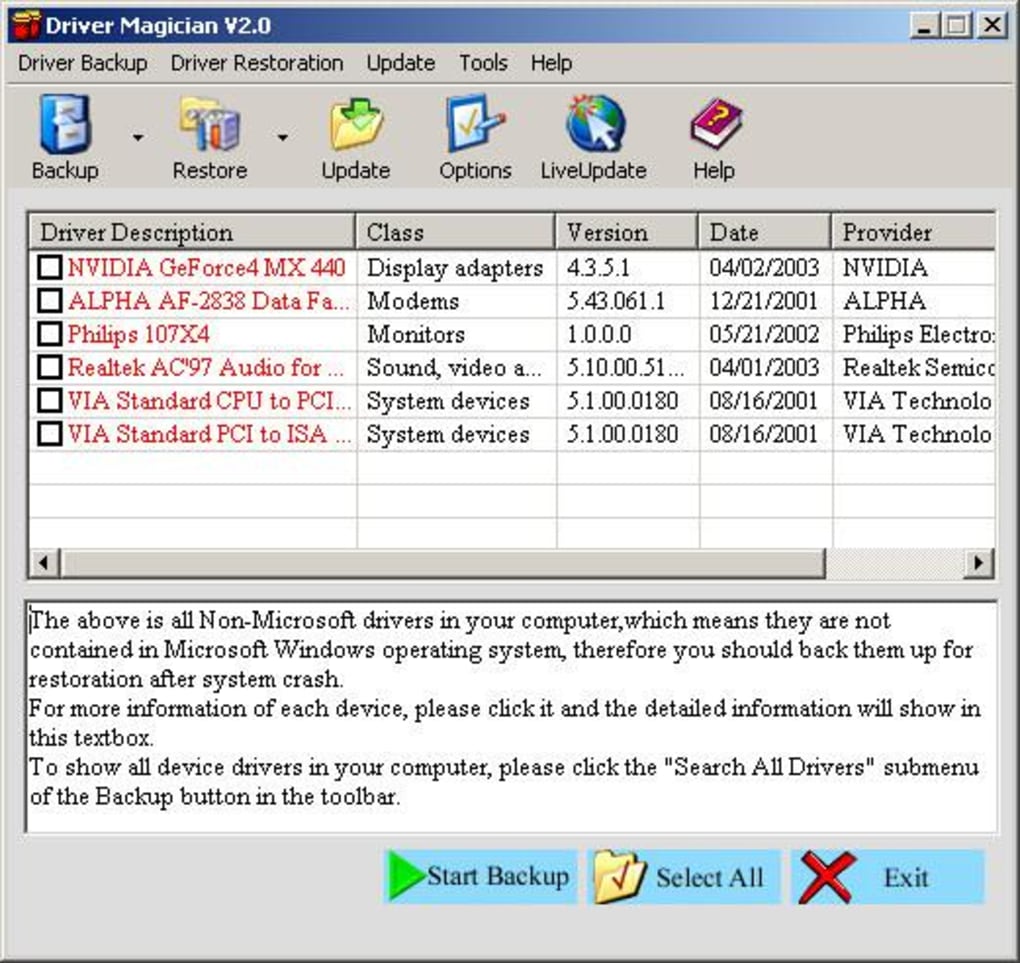
Upon first launch, Driver Magician runs a quick hardware scan. Once the scan finishes, you will see a categorized list of detected devices—display adapters, audio controllers, network adapters, and more. Click the Backup tab and select one of the four backup modes. For most users, the “Full System” option is safest, as it captures every driver and optional data you may need later. Choose a destination folder (e.g., an external USB drive) and press Start Backup. The process typically completes within 3‑5 minutes, depending on the number of devices.
Restoring Drivers After a Reinstall
After reinstalling Windows, reinstall Driver Magician (the free trial is sufficient for restoration). Navigate to the Restore tab, point the software to the folder where you saved your backup, and click Restore All. Driver Magician copies the driver files back to their original locations and registers them with the OS. A single reboot finalizes the process, and your PC will recognize all hardware without prompting for missing drivers.
Updating Drivers Automatically
The Update tab connects to the live driver database. Click Check for Updates and the tool will compare your installed driver versions against the latest releases. Any outdated drivers are listed with a brief description of improvements (e.g., bug fixes, performance enhancements). Select the drivers you wish to update and click Download & Install. Driver Magician handles the download, verifies digital signatures, and silently installs the new drivers, often without requiring a restart.
Compatibility, Pros & Cons, and Frequently Asked Questions
Compatibility
Driver Magician is fully compatible with Windows 7, Windows 8/8.1, Windows 10, and Windows 11 (both 32‑bit and 64‑bit editions). The software requires .NET Framework 4.6 or later, which is already included in modern Windows builds. It does not run on macOS, Linux, Android, or iOS, as its primary purpose is Windows driver management.
Pros
- Comprehensive backup covering all drivers and optional system data.
- One‑click restoration saves hours after a clean Windows install.
- Live driver database ensures you always have the newest, most stable drivers.
- Auto‑setup package allows deployment on machines without installing the main app.
- Clear UI with detailed hardware information for tech‑savvy users.
Cons
- The free version limits the number of backup locations you can create.
- Only works on Windows; no macOS or Linux counterpart.
- Some older legacy drivers may not be detected if they lack proper signatures.
FAQ – Frequently Asked Questions
Can Driver Magician back up drivers for a dual‑boot system?
Yes. The tool scans the active Windows installation and backs up drivers for that OS. If you have a second Windows partition, run Driver Magician from each OS to create separate backups.
Is the backup encrypted or password‑protected?
The free version stores backups as plain files, but the Pro edition offers optional AES‑256 encryption and password protection for added security.
How often should I update my drivers with Driver Magician?
A monthly check is sufficient for most users. Critical hardware (graphics cards, network adapters) may benefit from more frequent updates, especially when new games or applications are installed.
Does Driver Magician interfere with Windows Update?
No. Driver Magician works independently. You can still let Windows Update deliver its own driver packages; the tool simply offers an alternative source that often provides newer or more stable versions.
Can I create a portable backup that I can use on any PC?
Yes. The “Auto‑setup package” feature generates a standalone .EXE that contains all selected drivers. This file can be copied to a USB stick and run on any compatible Windows machine without installing Driver Magician first.
Driver Magician strikes an excellent balance between powerful functionality and user‑friendly design. The backup and restore workflow is seamless, and the live driver database saves countless hours of manual searching. While the free tier imposes a few limits, the Pro version is reasonably priced and unlocks encryption and unlimited backup locations. Overall, it is a must‑have for anyone who regularly reinstalls Windows or wants to keep hardware running optimally.
Conclusion & Call to Action
Managing device drivers no longer needs to be a daunting chore. Driver Magician delivers a secure, fast, and intuitive solution for backing up, restoring, and updating Windows drivers—all from a single interface. By automating the detection of unknown devices, providing a constantly refreshed driver database, and offering a one‑click restore process, the tool dramatically reduces downtime after OS reinstallations and helps maintain peak system performance. Whether you are a home user looking to protect a personal PC or an IT specialist overseeing multiple workstations, Driver Magician offers the reliability and flexibility required for modern Windows environments.
Ready to simplify your driver management? Download Driver Magician now and enjoy a free trial that lets you experience full backup and restore capabilities. Upgrade to the Pro edition for encrypted backups, unlimited locations, and priority support. Keep your system secure, up‑to‑date, and running at its best—download Driver Magician today!
Guides & Tutorials for Driver Magician
How to install Driver Magician
- Click the Preview / Download button above.
- Once redirected, accept the terms and click Install.
- Wait for the Driver Magician download to finish on your device.
How to use Driver Magician
This software is primarily used for its core features described above. Open the app after installation to explore its capabilities.
User Reviews for Driver Magician 0
No reviews found





